Robot Shark User2.0
Publisher Description
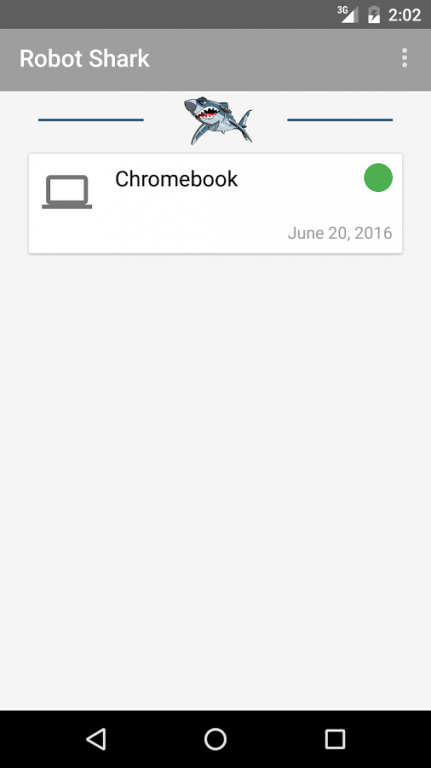
App lets you see the progress of your devices getting fixed.
Notifies you when we start working on device, waiting for parts, and when it is ready to be picked up.
*** DISCLAIMER ***
This app is for Robot Shark costumers only.
Robot Shark
7454 Monterey St
Gilroy, CA 95020
Phone number (408) 337-8970
robot-shark.com
Specialties:
Gilroy's #1 computers and electronics repair shop. Local and friendly just the way you like. We repair all Desktops & laptops brands. PC and Mac, We have Same day service on iPhones, iPads and iPods. Free Estimates. Open 6 days a week!
Now offering Digital camera repair!
Now Offering Android Mobile Phone repairs!!
We also repair cellphones, smartphones, video game consoles.
Affordable Security CCTV cameras installation. View your home or business from your Smart Phone!
Authorized Dish Network Retailer.
Authorized Direct TV Retailer.
History:
Established in 2012.
Created with the purpose to give affordable computer repairs/sales, cellphone repairs and security camera installation with the customer service that you deserve.
About Robot Shark User
The company that develops Robot Shark User is Faveca Apps. The latest version released by its developer is 2.0.
To install Robot Shark User on your Android device, just click the green Continue To App button above to start the installation process. The app is listed on our website since 2016-07-09 and was downloaded 9 times. We have already checked if the download link is safe, however for your own protection we recommend that you scan the downloaded app with your antivirus. Your antivirus may detect the Robot Shark User as malware as malware if the download link to com.faveca.robotsharkuser is broken.
How to install Robot Shark User on your Android device:
- Click on the Continue To App button on our website. This will redirect you to Google Play.
- Once the Robot Shark User is shown in the Google Play listing of your Android device, you can start its download and installation. Tap on the Install button located below the search bar and to the right of the app icon.
- A pop-up window with the permissions required by Robot Shark User will be shown. Click on Accept to continue the process.
- Robot Shark User will be downloaded onto your device, displaying a progress. Once the download completes, the installation will start and you'll get a notification after the installation is finished.
Program Details
System requirements
Download information
Pricing
Version History
version 2.0
posted on 2016-07-09
- A complete new design,- Realtime chat so you can message our experts fixing your devices.
